

First steps
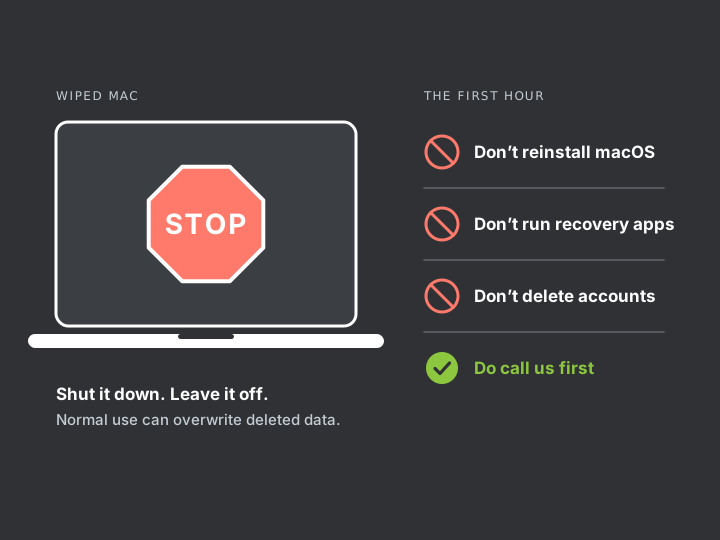
- Stop using the Mac. Shut it down. Normal use can overwrite deleted data.
- Don’t reinstall macOS or set the Mac up again as new.
- Don’t run recovery software on it. Installing anything writes to the same drive.
- Don’t delete the leaver’s accounts. Change the passwords instead. Their email and cloud accounts often hold copies.
- Write down what happened. Note when the Mac was last in use, who had it, and what is missing.
- Gather anything connected to it. That means backup drives, old Macs, and phones or iPads that synced with it.
- Contact us. Phone 020 7394 2525 or email info@creativeit.tv.
What can be recovered
The answer depends on how the data was removed. We will tell you which case you are in before any work starts.
| What happened | Chance of recovery from the Mac | Where we look |
|---|---|---|
| Files are in the Trash, not emptied | Very good | The Trash |
| Files deleted and Trash emptied | Possible if you act within about a day, low after that | Local Time Machine snapshots, version history inside apps, then copies elsewhere |
| The user account was deleted | Sometimes good | macOS can keep a deleted account’s files as a disk image on the Mac |
| The whole Mac was erased or macOS reinstalled | Very low on recent Macs | Copies elsewhere |
| Files deleted from cloud storage | Usually good, for a limited time | The service’s deleted-items area and administrator recovery tools |
Recent Macs encrypt their storage and destroy the key when they are erased. That is good security, and it is why a full erase usually cannot be reversed. In those cases the work is finding every other copy.
As with all our recovery work, inspection is free and you get a fixed quote before anything starts. See recovery prices, or read more about deleted files and erased disks.
Where copies turn up
- A Time Machine drive in a drawer
- iCloud Drive, which keeps deleted files for 30 days
- Google Drive, OneDrive or Dropbox version history and deleted items
- Email attachments, sent and received
- Shared folders and colleagues’ Macs
- An iPhone or iPad that synced with the Mac
- The Mac they used before this one
If you may take legal action
Deliberately destroying an employer’s data can be a legal matter. Leave the Mac untouched and speak to a solicitor before you confront anyone.
We record what we find, including what was erased, when, and what we recovered. We are not lawyers and this is not legal advice.
Make this the last time
Once your data is back, we can set up your Macs so a leaver cannot do this again. See how offboarding protection works.